About the project
It's been a minute... Finished this project a while ago actually and, after a thorough "testing" that took months, I can now conclude that I should be working on my procrastination habits next. The project was born out of a few reasons:
1. Wanted to have a tool that allowed me to include my own observations.
2. Having a sense of governance over my own training data.
3. Using data analysis to review my performance over the years, along with its shifts.
4. Had a free premium license at my disposal I can no longer use 😦

Entity-relationship diagram
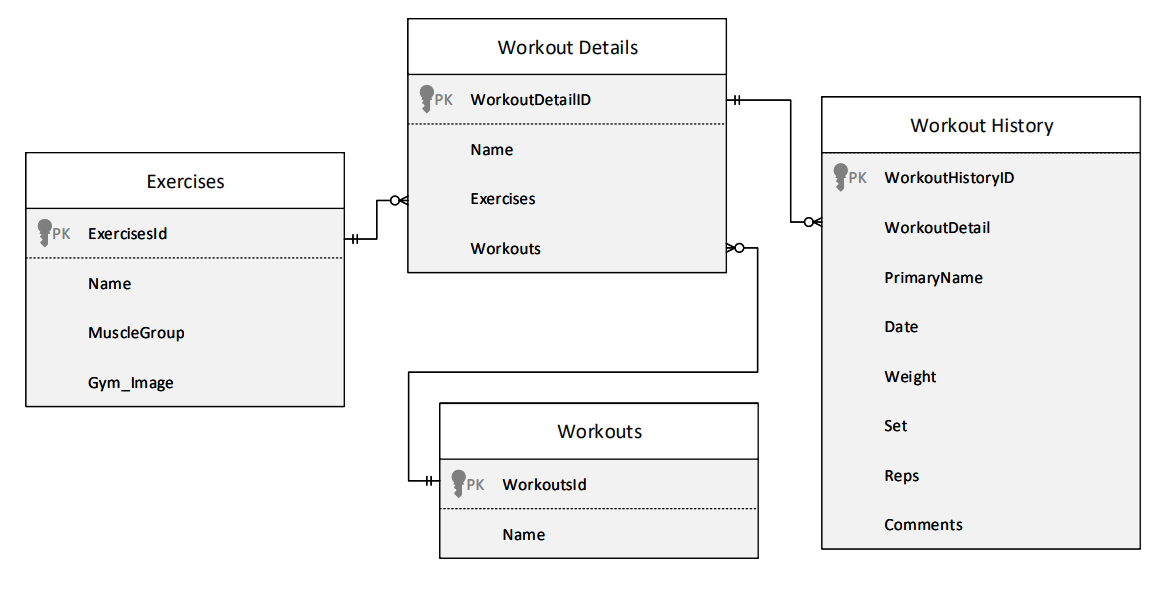
Functionalities and features
This canvas is composed of 5 different screens:
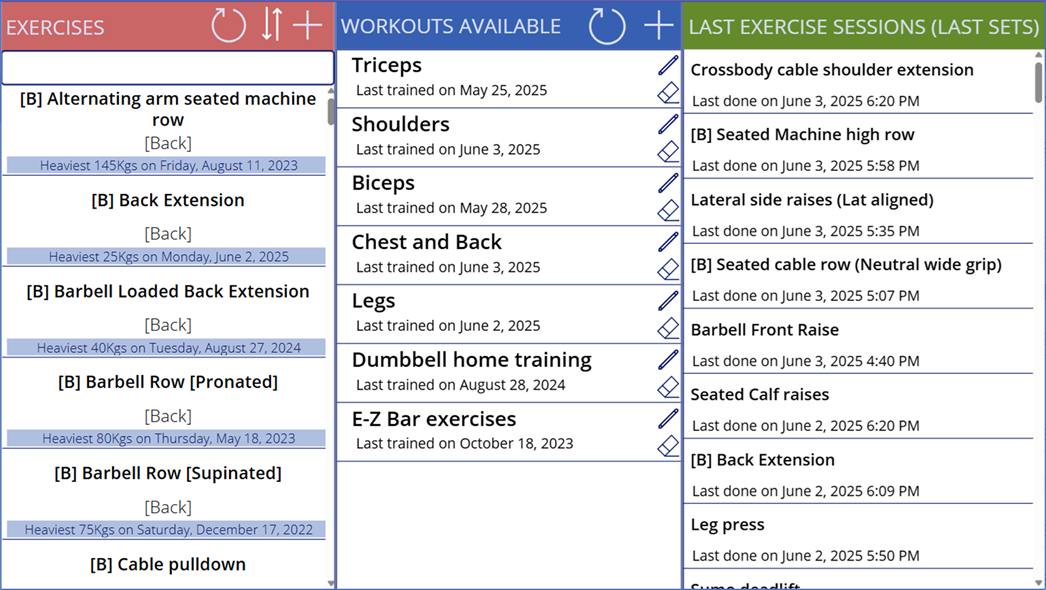
Main screen
This screen would be your landing page. From here, you can add exercises, create and access Workouts and review your last exercise sessions, to keep track of your training.
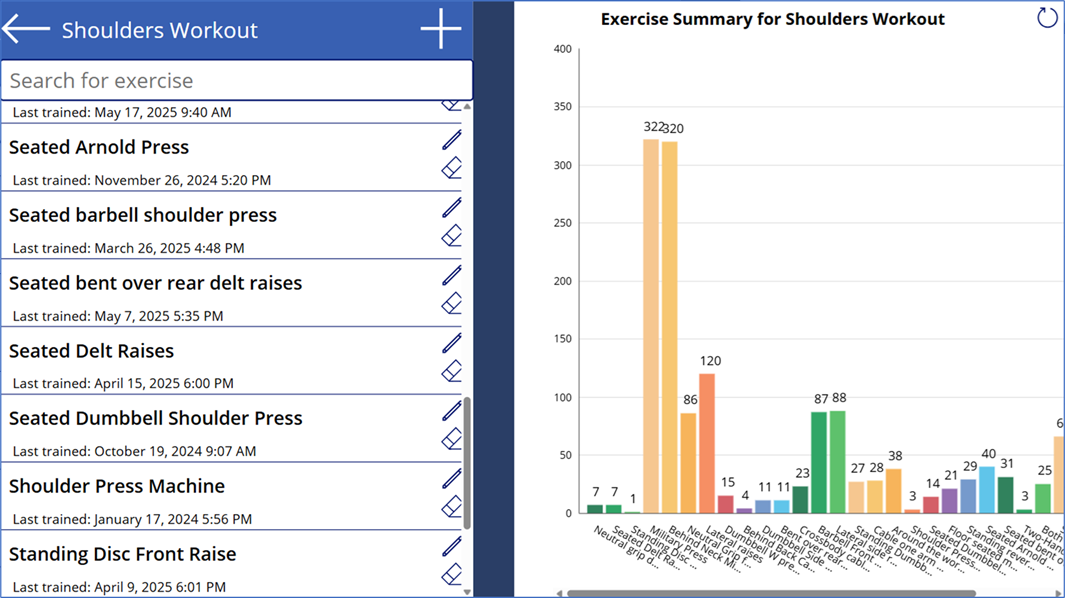
Workouts screen
This screen will allow you to review a summary of your workout and edit its exercises. Just make sure to add exercises via the Main screen first! So you can have them available for selection on this screen.
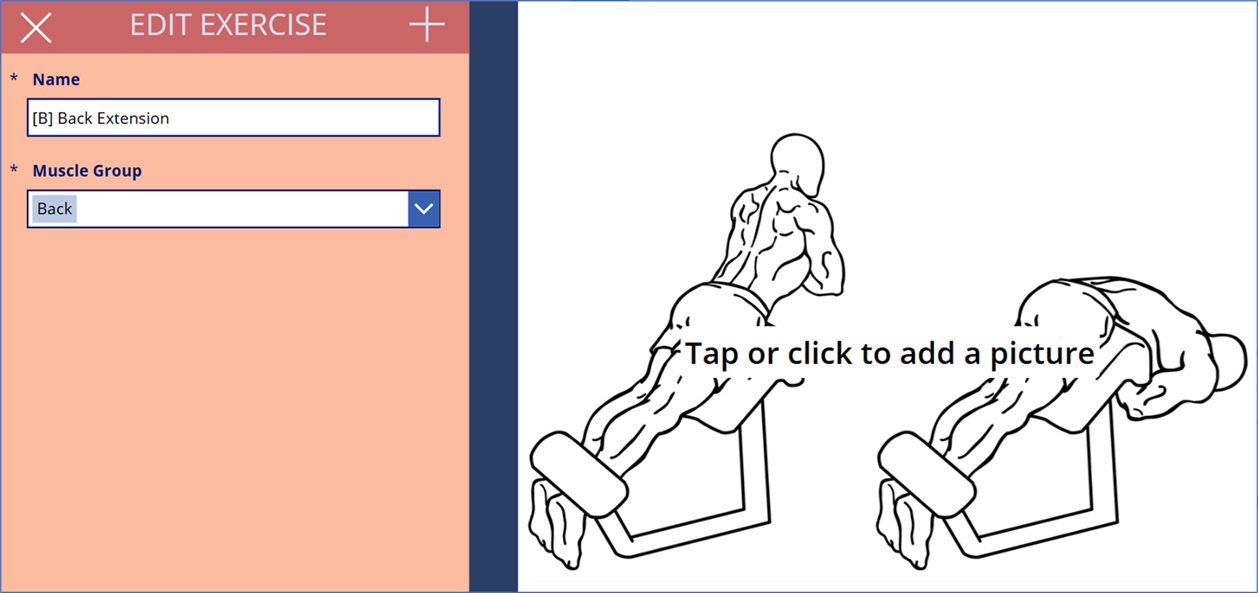
Create/Edit exercise screen
This screen allows you to add new exercises to the App or edit them, then classify them in Muscle groups. I included muscle groups hoping to make a statistic based on these values [Maybe in the future, if we survive our AI overlords...].
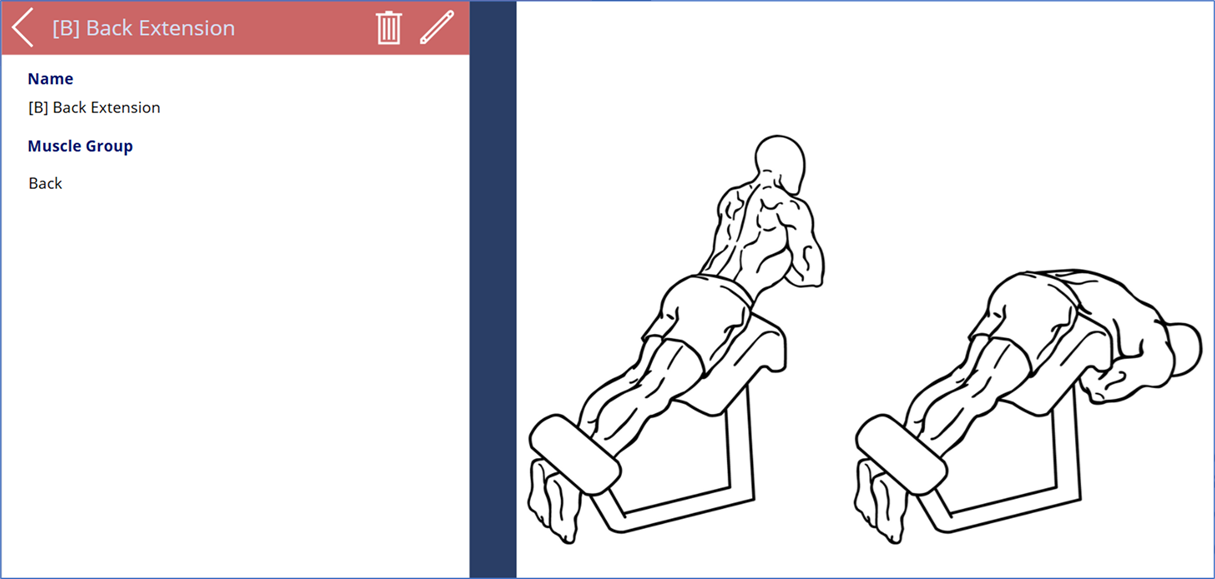
Review Exercise
In this screen, you can look into exercise details before editing them or adding a picture to it. Pictures on the app are saved as base64 text on Dataverse, which I personally find more elegant as a solution, keeping data types consistent as text.
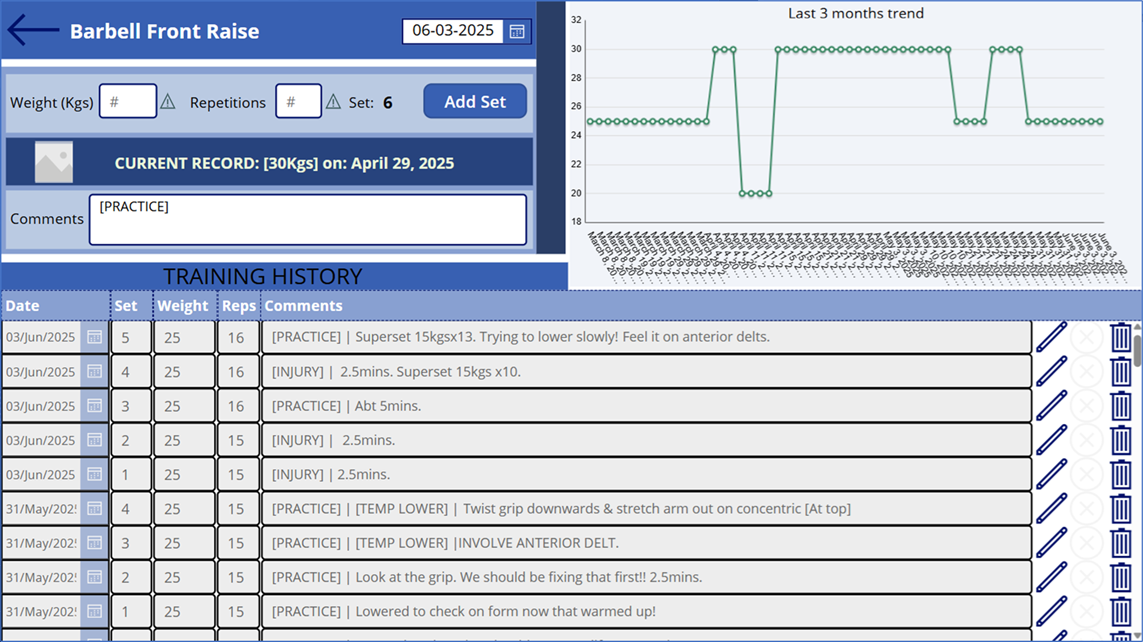
Exercise Detail Screen
This screen allows you to record your exercise progress, edit and delete sets, review quarterly trends, check on exercise pics as well [As long as you have one for it] & the main reason I made this app: Having a "Comments" section that allows me to add my own observations for improvement.
⚠️Installation instructions
First, download the necessary files from https://github.com/ederNguyen/GymPowerApp. I have included both the solution & a file containing all the exercises I have been using myself for training so far:

Once downloaded, just import the solution [powerappsgymapp.zip] and validate the only connector used in this whole project, Dataverse:

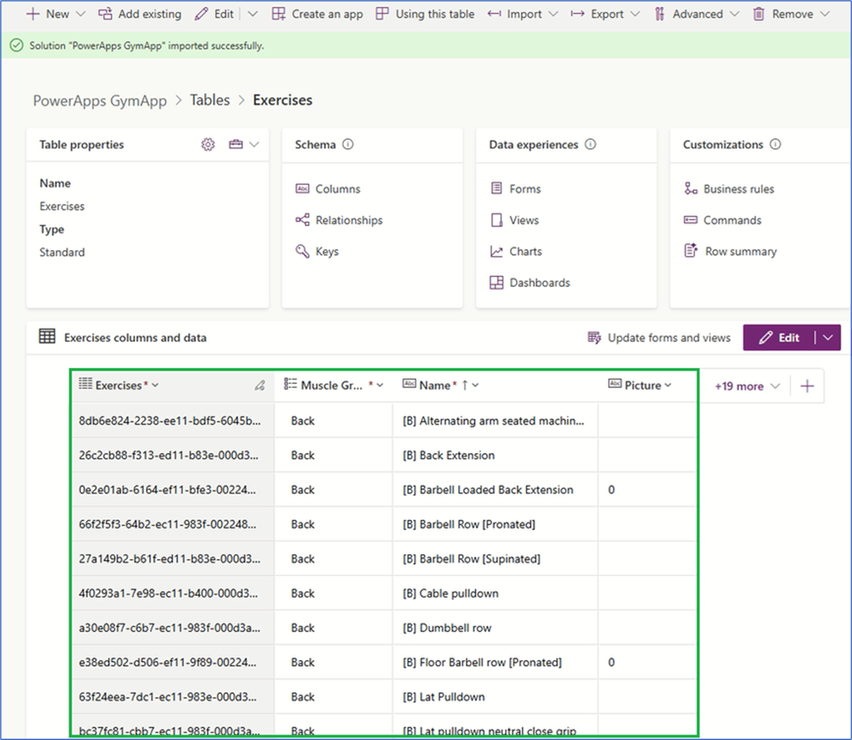
After the import, you can use the second file included in the project [exercises.zip] to import a number of exercises which can help you start planning your training. For this, simply access the Exercises table in the solution imported and select "Import data from Excel":

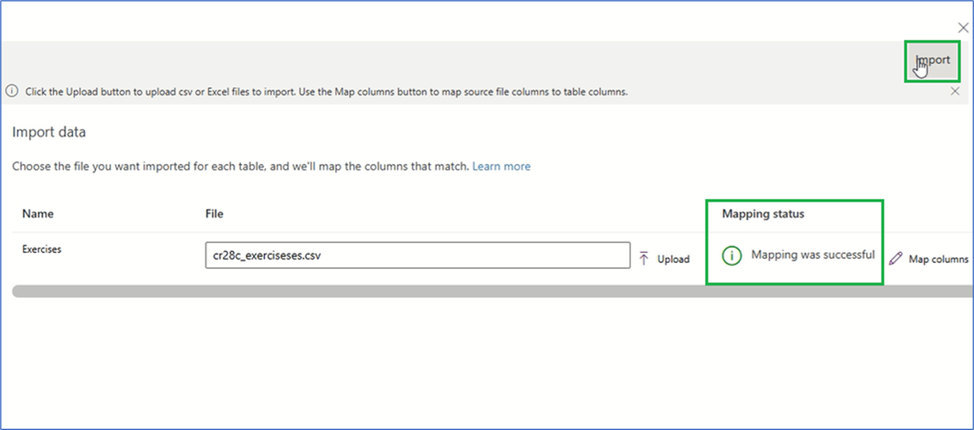
Once you upload the "cr28c_exerciseses.csv" data in the zip file and the mapping succeeds, make sure to click on import:
You might get an error 😯...
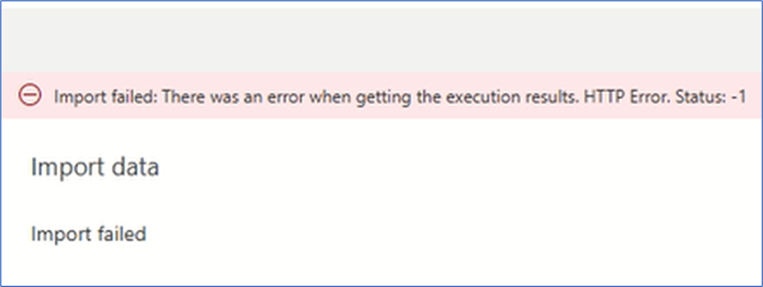
But the contents should be imported successfully!
The struggle is real... Happy training!

 Cloud Gandalf
Leave a comment